
When comparing EPUB vs PDF ebooks, the core difference is simple: EPUB is a reflowable format that adapts to any screen size, while PDF preserves a fixed, print-like layout that looks identical on every device. Choosing the wrong format can mean a frustrating reading experience, especially for technical, scientific, or illustrated books. This guide breaks down every meaningful difference so you can make the right purchase decision the first time.
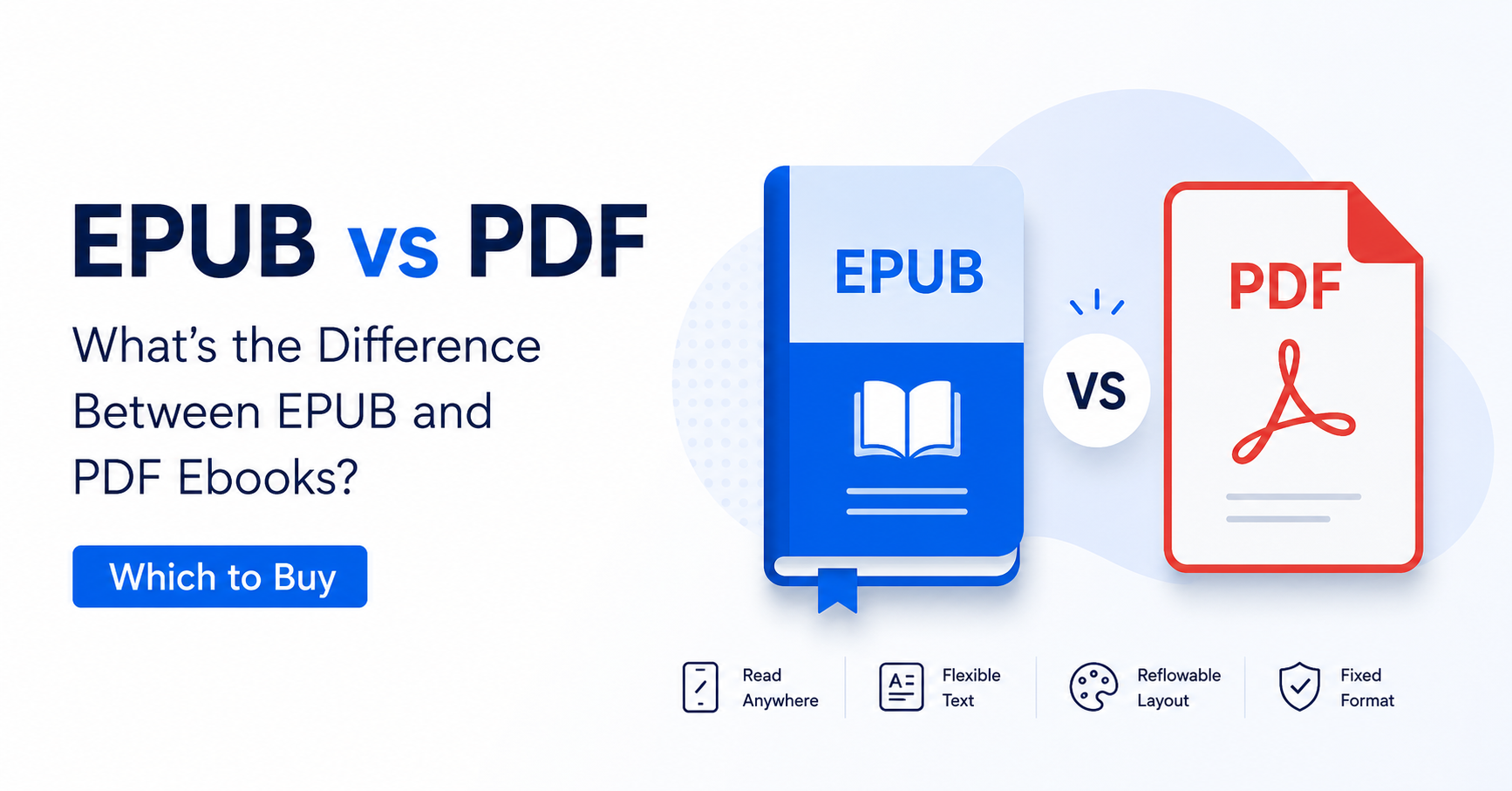
- EPUB reflows text to fit any screen; PDF keeps a fixed, paginated layout.
- PDF is universally compatible and requires no special app on most devices.
- EPUB is better for novels and long-form prose; PDF is better for textbooks, charts, and technical manuals.
- Most e-readers natively support EPUB; Kindle uses its own format but can open EPUB via Calibre or the Send to Kindle tool.
- PDF files are the dominant format sold at DIGZON.COM for scientific, medical, and academic titles.
- You can convert between formats, but conversion quality varies significantly by book type.
- Pick EPUB for fiction, self-help, or any prose-heavy book you read on a phone or small e-reader.
- Pick PDF for textbooks, engineering manuals, medical references, or any book with complex layouts.
- PDF preserves tables, graphs, formulas, and multi-column text exactly as the author intended.
- EPUB file sizes are typically smaller; PDF files can be larger but are more portable across print and screen.
- Always check which formats your device supports before purchasing any ebook.
- DIGZON.COM specializes in PDF editions of expensive academic and technical titles at heavily discounted prices.
What Are EPUB and PDF Ebooks?
Understanding EPUB vs PDF ebooks starts with knowing what each format was designed to do. EPUB (Electronic Publication) is an open standard maintained by the W3C Publishing Working Group, originally developed to create digital books that behave like responsive websites — the text reflows and resizes based on the reader’s screen and font preferences. PDF (Portable Document Format) was created by Adobe and standardized as ISO 32000; its entire purpose is to make a document look exactly the same regardless of the device, software, or printer used to display it.
Both formats are widely used for digital books, but they serve fundamentally different reading scenarios. Knowing which scenario applies to you is the fastest way to decide which format to buy.
EPUB vs PDF Ebooks: 7 Key Differences Explained
The EPUB vs PDF ebooks debate comes down to seven concrete technical and practical differences that directly affect your reading experience. Here is a detailed breakdown of each one.
1. Layout: Reflowable vs Fixed
EPUB uses a reflowable layout, meaning text, images, and paragraphs rearrange themselves to fit whatever screen size or font size the reader chooses. PDF uses a fixed layout: every element — every line, image, table, and footnote — stays exactly where the designer placed it. If you zoom into a PDF on a small phone screen, you will need to scroll horizontally. If you zoom into an EPUB, the text simply wraps to fill the screen.
2. Font and Display Customization
EPUB readers allow you to change font type, font size, line spacing, background color, and margins at will. PDF readers offer limited text reflow options; most PDF viewers do not allow font changes because the font is embedded in the document itself. For readers with dyslexia or visual impairments, EPUB’s flexibility is a significant advantage for narrative text.
3. Fidelity for Complex Content
PDF wins decisively when a book contains complex visual content: multi-column layouts, chemical formulas, engineering diagrams, medical imaging, musical notation, or mathematical equations. Because PDF locks every element in place, a complex table in a chemistry textbook looks perfect. In an EPUB, the same table might reflow awkwardly or break entirely, especially in older EPUB 2 files.
4. File Size
EPUB files are generally smaller than equivalent PDF files because they store text as HTML and CSS rather than as rendered page images. A PDF that includes high-resolution scanned pages can be very large. However, a PDF built from native digital text (not scanned) is often comparable in size to an EPUB of the same content.
5. DRM and Copy Protection
Both formats support Digital Rights Management (DRM), but they use different systems. EPUB files commonly use Adobe Digital Editions DRM or LCP (Lightweight Content Protection). PDFs can use Adobe Acrobat password protection or third-party DRM layers. Neither format is inherently more or less protected — it depends entirely on how the publisher or store applies protection.
6. Printing and Archiving
PDF is the superior format for printing. Because the layout is fixed and print-ready, a PDF ebook prints exactly as designed, with correct margins, page numbers, and image placement. EPUB is not designed for printing; most EPUB readers do not even offer a print function. For professionals who need to annotate printed copies of technical manuals or research papers, PDF is the practical choice.
7. Universal Compatibility
PDF is arguably the most universally compatible document format ever created. Every major operating system includes a built-in PDF viewer (Preview on macOS, Edge on Windows, Files on Android). EPUB requires a dedicated reading app on most platforms — Apple Books on iOS/macOS, Google Play Books on Android, Calibre on desktop, or a compatible e-reader device.
| Feature | EPUB | |
|---|---|---|
| Layout type | Reflowable | Fixed |
| Font customization | Full control | Limited or none |
| Complex tables and formulas | Poor to moderate | Excellent |
| Printing quality | Not suitable | Print-ready |
| File size (text-heavy books) | Smaller | Comparable or larger |
| Native device support | Requires reading app | Built into most OSes |
| Best for | Fiction, prose, novels | Textbooks, technical, academic |
| DRM support | Yes (Adobe DRM, LCP) | Yes (Adobe, password) |
Which Devices Support EPUB and PDF?
Device compatibility is one of the most practical factors in the EPUB vs PDF ebooks decision. Most modern devices handle both formats, but with different levels of native support.
E-Readers
Kobo, PocketBook, and most non-Amazon e-readers natively support EPUB without any conversion. Amazon Kindle devices do not support EPUB natively — you must either convert the file using a tool like Calibre or send it via Amazon’s Send to Kindle email service, which now accepts EPUB directly. All e-readers support PDF, but reading a PDF on a small e-ink screen (especially a 6-inch device) can be uncomfortable for text-heavy academic books because the fixed layout does not reflow.
Tablets and Smartphones
On iPad and iPhone, Apple Books handles both EPUB and PDF natively. On Android, Google Play Books supports both formats. On any platform, dedicated apps like Adobe Acrobat Reader (PDF) or Moon+ Reader (EPUB) offer a richer reading experience than basic built-in viewers.
Desktop and Laptop Computers
PDF is the clear winner on desktop. Every browser and operating system opens PDFs without additional software. EPUB on desktop requires installing an application such as Calibre, Adobe Digital Editions, or the web version of Google Play Books. For researchers and students who read at a desk, PDF is consistently the more frictionless choice.
When Should You Buy an EPUB Ebook?
EPUB is the right choice when your primary goal is comfortable, customizable reading of prose-heavy content on a small screen. If you are buying a novel, a self-help book, a biography, or any book that is mostly flowing paragraphs with few or no complex visual elements, EPUB delivers a superior experience on phones and dedicated e-readers. You can adjust the font to your preference, read in dark mode without eye strain, and the text will always fill your screen cleanly regardless of device orientation.
EPUB is also the better format if you primarily use a Kobo, PocketBook, or other non-Kindle e-reader, since these devices are optimized for the format. If accessibility features matter to you — screen readers, large-print settings, or dyslexia-friendly fonts — EPUB’s flexibility makes it the more inclusive format for narrative content.
For readers interested in exploring top EPUB titles now available in PDF format, the top ePub eBooks in PDF — Buy in USA Today collection at DIGZON offers a practical bridge between both worlds.
When Should You Buy a PDF Ebook?
PDF is the correct format when the visual integrity of the book matters as much as the text itself. For any book containing tables, charts, diagrams, mathematical notation, chemical structures, medical imaging, code snippets with precise indentation, or multi-column academic layouts, PDF is the only format that reliably preserves the author’s intended presentation.
PDF is also the practical choice for professionals who need to print reference pages, annotate documents with standard tools like Adobe Acrobat, or share a file with colleagues who may not have a specific reading app installed. A PDF sent by email or WhatsApp opens on virtually any device without configuration.
For students and researchers dealing with expensive academic titles, the ePub vs PDF eBooks — Best Format in USA guide explores this decision in further depth, and DIGZON’s catalog of best science PDF eBooks for USA students demonstrates the breadth of technical titles available at dramatically reduced prices.
EPUB vs PDF for Academic and Technical Books
For academic and technical content, the EPUB vs PDF ebooks comparison is largely settled in favor of PDF. Publishers of scientific, medical, legal, and engineering textbooks almost universally release their titles in PDF because the format guarantees that page references, figure numbers, and cross-references remain accurate regardless of how the reader views the file. A professor who says “see Figure 3.2 on page 47” is relying on the fixed-layout guarantee that only PDF provides.
Why Researchers Prefer PDF
Academic researchers cite specific page numbers in their own papers. If a textbook were in a reflowable EPUB format, page numbers would shift depending on the reader’s font size setting, making citation impossible. PDF eliminates this problem entirely. Additionally, annotation tools in PDF readers — highlights, sticky notes, drawing tools — are far more mature and standardized than those in EPUB readers, which vary widely by application.
EPUB 3 and Fixed-Layout EPUB
It is worth noting that EPUB 3, the current version of the standard, introduced fixed-layout support specifically to address the needs of illustrated children’s books, comics, and some technical titles. A fixed-layout EPUB behaves similarly to a PDF in terms of visual fidelity. However, fixed-layout EPUB files are still less universally supported than PDF and are rarely used for mainstream academic publishing. For practical purposes, when buying a technical or scientific book, PDF remains the safer and more reliable choice.
How to Convert Between EPUB and PDF
Converting between EPUB and PDF is possible, but the quality of the result depends heavily on the content type. Understanding the limitations before you attempt a conversion will save you significant frustration.
Converting EPUB to PDF
The most reliable free tool for converting EPUB to PDF is Calibre, an open-source ebook management application available for Windows, macOS, and Linux. Calibre renders the EPUB content and exports it as a PDF with configurable page size and margins. For simple prose-heavy books, the output is generally clean. For books with complex CSS styling or embedded fonts, results may vary. Online converters such as Zamzar or Smallpdf also handle EPUB-to-PDF conversion without requiring software installation, though they impose file size limits on free accounts.
Converting PDF to EPUB
Converting in the opposite direction — from PDF to EPUB — is significantly more difficult when the PDF contains complex layouts. Calibre can attempt the conversion, but tables, multi-column text, and embedded images often reflow incorrectly. For scanned PDFs (image-based rather than text-based), conversion requires an OCR (Optical Character Recognition) step first. Tools like Adobe Acrobat Pro include built-in OCR and export-to-EPUB functionality, though this is a paid application. For a complete step-by-step walkthrough, the Convert ePub to PDF — Full Guide for USA resource covers the process in detail.
When Conversion Is Not Worth It
For highly complex academic textbooks, engineering manuals, or medical references, conversion from PDF to EPUB is rarely worth the effort. The fixed layout exists for a reason in these books, and forcing the content into a reflowable format almost always degrades the reading experience. In these cases, purchasing the book directly in PDF format from a store like DIGZON is faster, cleaner, and more reliable than attempting conversion from another format.
Readers curious about how different formats compare in more detail can also consult the comprehensive ePub vs Mobi vs PDF: The Ultimate eBook Format Comparison Guide for a broader multi-format perspective.
Frequently Asked Questions
What is the main difference between EPUB and PDF ebooks?
The main difference between EPUB and PDF ebooks is layout behavior. EPUB uses a reflowable layout that adjusts text to fit any screen size or font preference, making it ideal for prose and novels. PDF uses a fixed layout that preserves the exact visual design of every page, making it the preferred format for textbooks, technical manuals, and academic references.
Which format is better for reading on a phone or tablet?
For phones and tablets, EPUB generally provides a more comfortable reading experience for text-heavy books because the text reflows to fill the screen and you can adjust font size freely. PDF can be read on tablets with relative ease, but on small phone screens, fixed-layout PDFs often require horizontal scrolling unless the reader uses a zoom-and-pan approach.
Can I read EPUB files on a Kindle?
Amazon Kindle devices do not natively open EPUB files. However, you can convert EPUB to a Kindle-compatible format using Calibre, or you can send an EPUB file directly to your Kindle via Amazon’s Send to Kindle email service, which now accepts EPUB and converts it automatically. Alternatively, Kindle reading apps on iOS and Android do not open EPUB either — you would need a separate app like Apple Books or Google Play Books.
Is PDF better than EPUB for textbooks and academic books?
Yes, PDF is consistently better than EPUB for textbooks and academic books. Academic publishers use PDF because it preserves page numbers, figure references, tables, equations, and multi-column layouts exactly as designed. Researchers need stable page numbers for citations, and PDF is the only format that guarantees this regardless of the reader’s device or settings.
Are PDF ebooks cheaper than EPUB ebooks?
Price depends on the store and publisher, not the format itself. At DIGZON.COM, PDF editions of expensive academic and scientific titles are available at significant discounts compared to retail prices on Amazon or other platforms. The format you choose should be based on your reading needs and device compatibility rather than price, since both formats are typically offered at similar price points by most retailers.
Can I convert a PDF ebook to EPUB format?
Yes, you can convert PDF to EPUB using tools like Calibre or Adobe Acrobat Pro. However, conversion quality varies. For text-only PDFs, the output is usually acceptable. For PDFs with complex layouts, tables, or scanned images, the conversion often produces a poorly formatted EPUB. For technical or academic books, it is usually better to purchase the book directly in your preferred format rather than converting.
Which format is best for printing an ebook?
PDF is unambiguously the best format for printing. Because PDF preserves the exact page layout, margins, and image placement, a printed PDF looks identical to a printed physical book. EPUB is not designed for printing and most EPUB reading applications do not include a print function. If you regularly print reference pages or study notes from your ebooks, always choose PDF.
Does DIGZON.COM sell ebooks in EPUB format?
DIGZON.COM specializes in PDF format ebooks, which is the dominant format for the scientific, medical, engineering, and academic titles the store focuses on. PDF is the format that best preserves the complex layouts found in these books. If you need a specific title and cannot find it listed on the website, you can contact DIGZON directly via WhatsApp or email at [email protected] to request it from their deep library.
Understanding the difference between EPUB vs PDF ebooks is the single most practical step you can take before purchasing any digital book. For novels, biographies, and prose-heavy content on small screens, EPUB’s reflowable flexibility wins. For textbooks, scientific references, engineering manuals, and any book where layout precision matters, PDF is the reliable, universally compatible choice. If you are ready to find your next technical or academic title at a fraction of its original price, explore the ePub vs PDF eBooks — Best Format in USA collection at DIGZON.COM and discover how affordable the right format can be.